All Resources
In this article:
minus iconplus icon
Share the Blog

Top 6 Azure Security Tools, Features, and Best Practices

November 7, 2022
6
Min Read

Nowadays, it is evident that the rapid growth of cloud computing has changed how organizations operate. Many organizations increasingly rely on the cloud to drive their daily business operations. The cloud is a single place for storing, processing and accessing data; it’s no wonder that people are becoming addicted to its convenience.

However, as the dependence on cloud service providers continues, the need for security also increases. One needs to measure and safeguard sensitive data to protect against possible threats. Remember that security is a shared responsibility - even if your cloud provider secures your data, the security will not be absolute. Thus, understanding the security features of a particular cloud service provider becomes significant.

Introduction to Microsoft Azure Security Services
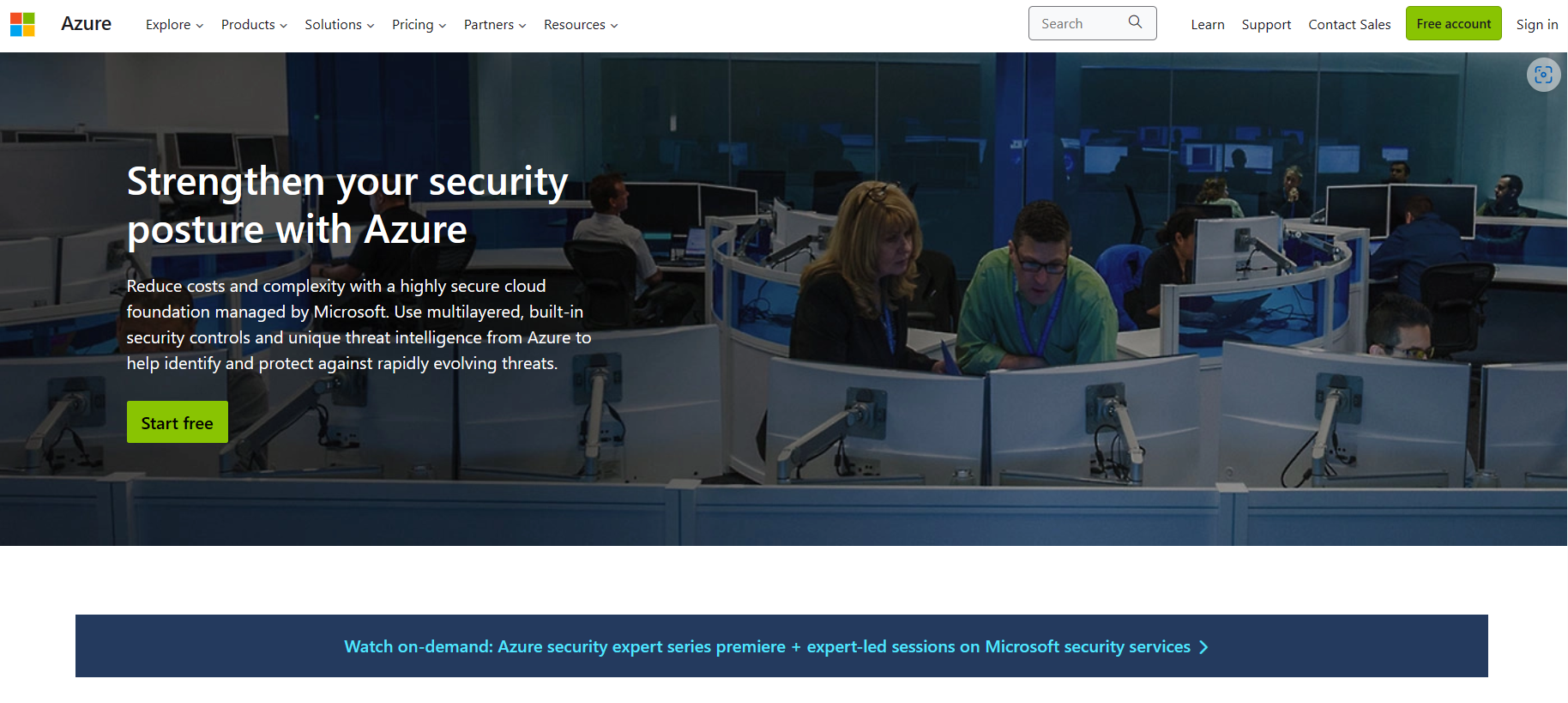
Image of Microsoft Azure, explaining how to strengthen security posture with Azure

Microsoft Azure offers services and tools for businesses to manage their applications and infrastructure. Utilizing Azure ensures robust security measures are in place to protect sensitive data, maintain privacy, and mitigate potential threats.

This article will tackle Azure’s security features and tools to help organizations and individuals safeguard and protect their data while they continue their innovation and growth. 

There’s a collective set of security features, services, tools, and best practices offered by Microsoft to protect cloud resources. In this section, let's explore some layers to gain some insights.

The Layers of Security in Microsoft Azure:

Layers of Security Description
Physical Security Microsoft Azure has a strong foundation of physical security measures, and it operates state-of-the-art data centers worldwide with strict physical access controls, which ensures that Azure's infrastructure protects itself against unauthorized physical access.
Network Security Virtual networks, network security groups (NSGs), and distributed denial of service (DDoS) protection create isolated and secure network environments. Microsoft Azure network security mechanisms secure data in transit and protect against unauthorized network access. Of course, we must recognize Azure Virtual Network Gateway, which secures connections between on-premises networks and Azure resources.
Identity and Access Management (IAM) Microsoft Azure offers identity and access management capabilities to control and secure access to cloud resources. The Azure Active Directory (AD) is a centralized identity management platform that allows organizations to manage user identities, enforce robust authentication methods, and implement fine-grained access controls through role-based access control (RBAC).
Data Security Microsoft Azure offers Azure Storage Service Encryption (SSE) which encrypts data at rest, while Azure Disk Encryption secures virtual machine disks. Azure Key Vault provides a secure and centralized location for managing cryptographic keys and secrets.
Threat Detection and Monitoring Microsoft Azure offers Azure Security Center, which provides a centralized view of security recommendations, threat intelligence, and real-time security alerts. Azure Sentinel offers cloud-native security information that helps us quickly detect, alert, investigate, and resolve security incidents.
Compliance and Governance Microsoft Azure offers Azure Policy to define and enforce compliance controls across Azure resources within the organization. Moreover, it helps provide compliance certifications and adhere to industry-standard security frameworks.

Let’s explore some features and tools, and discuss their key features and best practices.

Azure Active Directory Identity Protection
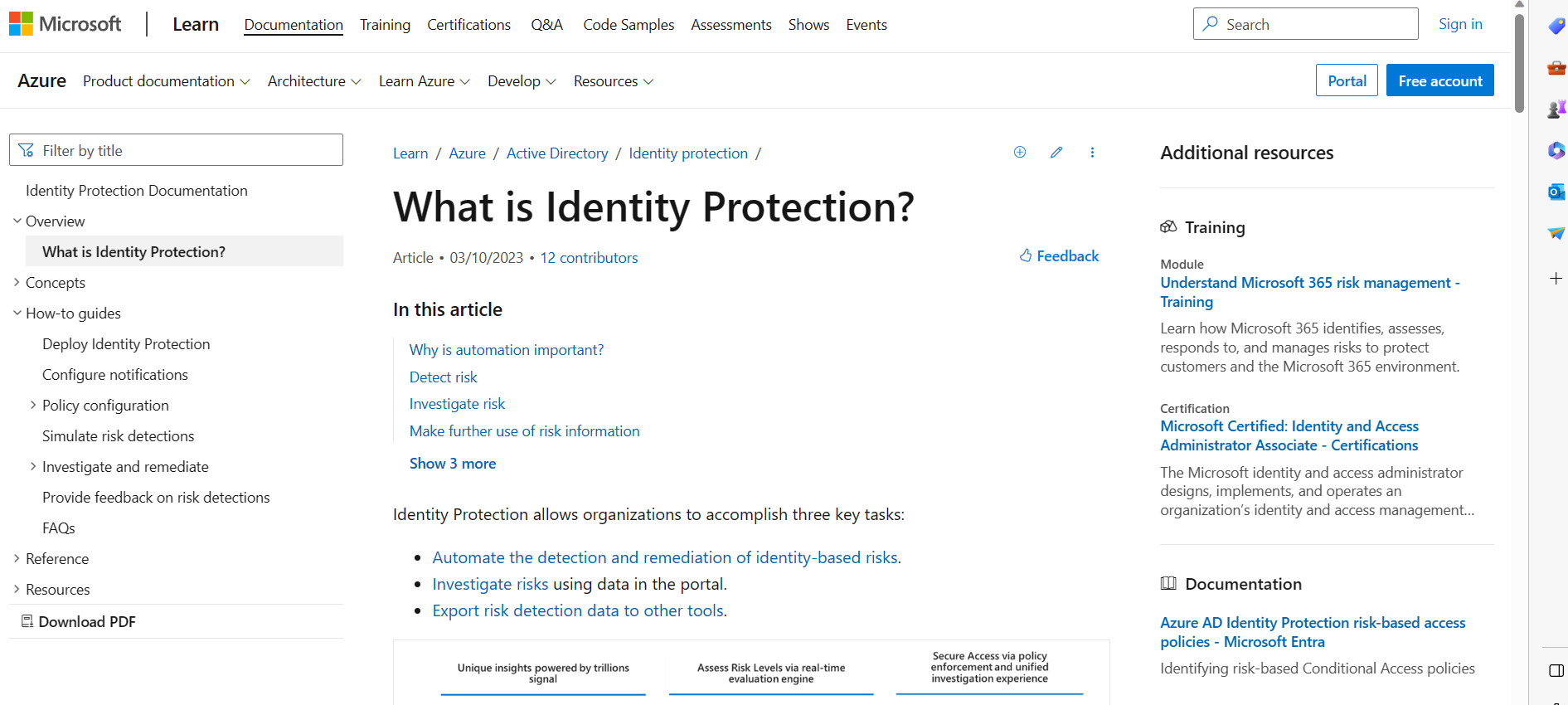
Image of Azure’s Identity Protection page, explaining what is identity protection

Identity protection is a cloud-based service for the Azure AD suite. It focuses on helping organizations protect their user identities and detect potential security risks. Moreover, it uses advanced machine learning algorithms and security signals from various sources to provide proactive and adaptive security measures. Furthermore, leveraging machine learning and data analytics can identify risky sign-ins, compromised credentials, and malicious or suspicious user behavior. How’s that? Sounds great, right?

Key Features

1. Risk-Based User Sign-In Policies

It allows organizations to define risk-based policies for user sign-ins which evaluate user behavior, sign-in patterns, and device information to assess the risk level associated with each sign-in attempt. Using the risk assessment, organizations can enforce additional security measures, such as requiring multi-factor authentication (MFA), blocking sign-ins, or prompting password resets.

2. Risky User Detection and Remediation

The service detects and alerts organizations about potentially compromised or risky user accounts. It analyzes various signals, such as leaked credentials or suspicious sign-in activities, to identify anomalies and indicators of compromise. Administrators can receive real-time alerts and take immediate action, such as resetting passwords or blocking access, to mitigate the risk and protect user accounts.

Best Practices

  • Educate Users About Identity Protection - Educating users is crucial for maintaining a secure environment. Most large organizations now provide security training to increase the awareness of users. Training and awareness help users protect their identities, recognize phishing attempts, and follow security best practices.
  • Regularly Review and Refine Policies - Regularly assessing policies helps ensure their effectiveness, which is why it is good to continuously improve the organization’s Azure AD Identity Protection policies based on the changing threat landscape and your organization's evolving security requirements.

Azure Firewall
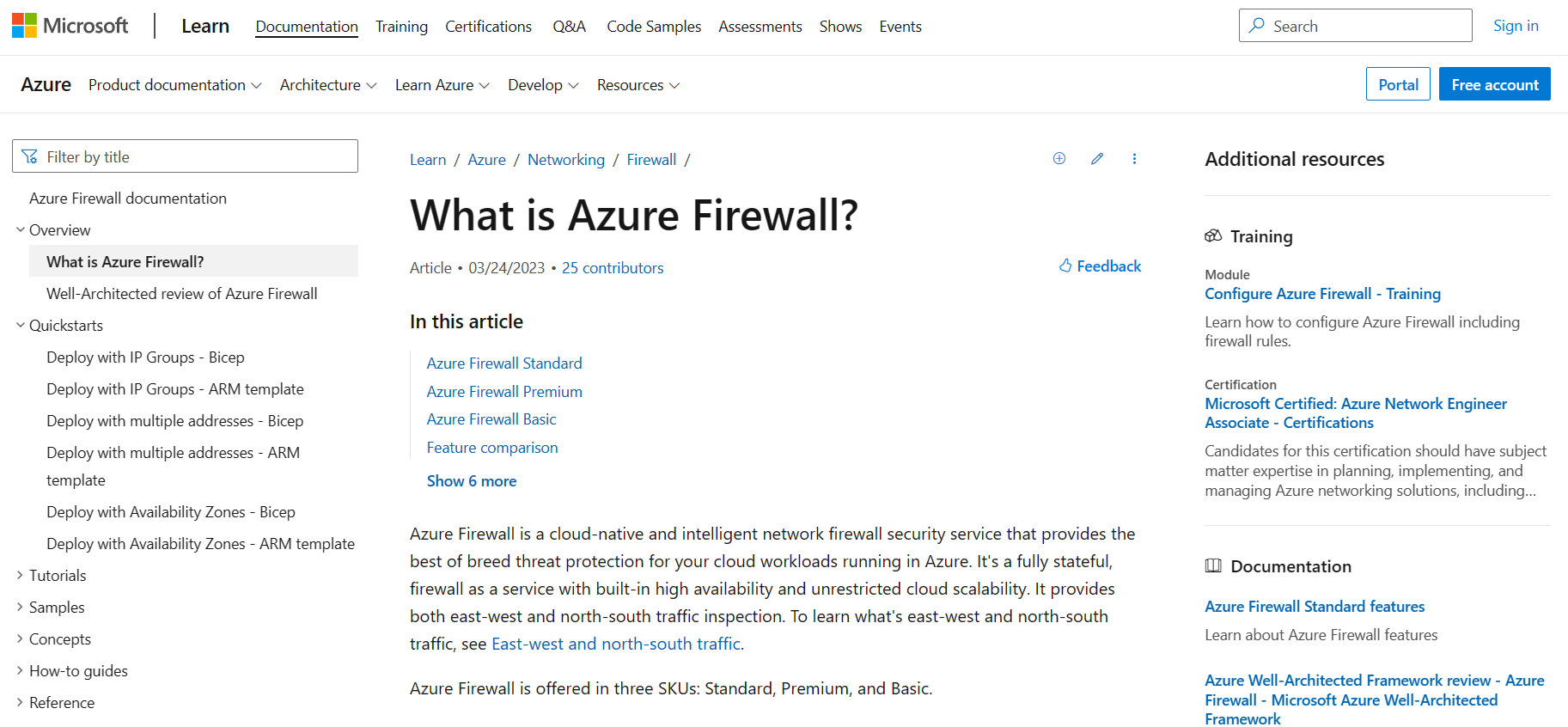
Image of Azure Firewall page, explaining what is Azure Firewall

Microsoft offers an Azure Firewall, which is a cloud-based network security service. It acts as a barrier between your Azure virtual networks and the internet. Moreover, it provides centralized network security and protection against unauthorized access and threats. Furthermore, it operates at the network and application layers, allowing you to define and enforce granular access control policies.

Thus, it enables organizations to control inbound and outbound traffic for virtual and on-premises networks connected through Azure VPN or ExpressRoute. Of course, we can’t ignore the filtering traffic of source and destination IP addresses, ports, protocols, and even fully qualified domain names (FQDNs).

Key Features

1. Network and Application-Level Filtering

This feature allows organizations to define rules based on IP addresses (source and destination), including ports, protocols, and FQDNs. Moreover, it helps organizations filter network and application-level traffic, controlling inbound and outbound connections.

2. Fully Stateful Firewall

Azure Firewall is a stateful firewall, which means it can intelligently allow return traffic for established connections without requiring additional rules. The beneficial aspect of this is it simplifies rule management and ensures that legitimate traffic flows smoothly.

3. High Availability and Scalability

Azure Firewall is highly available and scalable. It can automatically scale with your network traffic demand increases and provides built-in availability through multiple availability zones.

Best Practices

  • Design an Appropriate Network Architecture - Plan your virtual network architecture carefully to ensure proper placement of Azure Firewall. Consider network segmentation, subnet placement, and routing requirements to enforce security policies and control traffic flow effectively.
  • Implement Network Traffic Filtering Rules - Define granular network traffic filtering rules based on your specific security requirements. Start with a default-deny approach and allow only necessary traffic. Regularly review and update firewall rules to maintain an up-to-date and effective security posture.
  • Use Application Rules for Fine-Grain Control - Leverage Azure Firewall's application rules to allow or deny traffic based on specific application protocols or ports. By doing this, organizations can enforce granular access control to applications within their network.

Azure Resource Locks
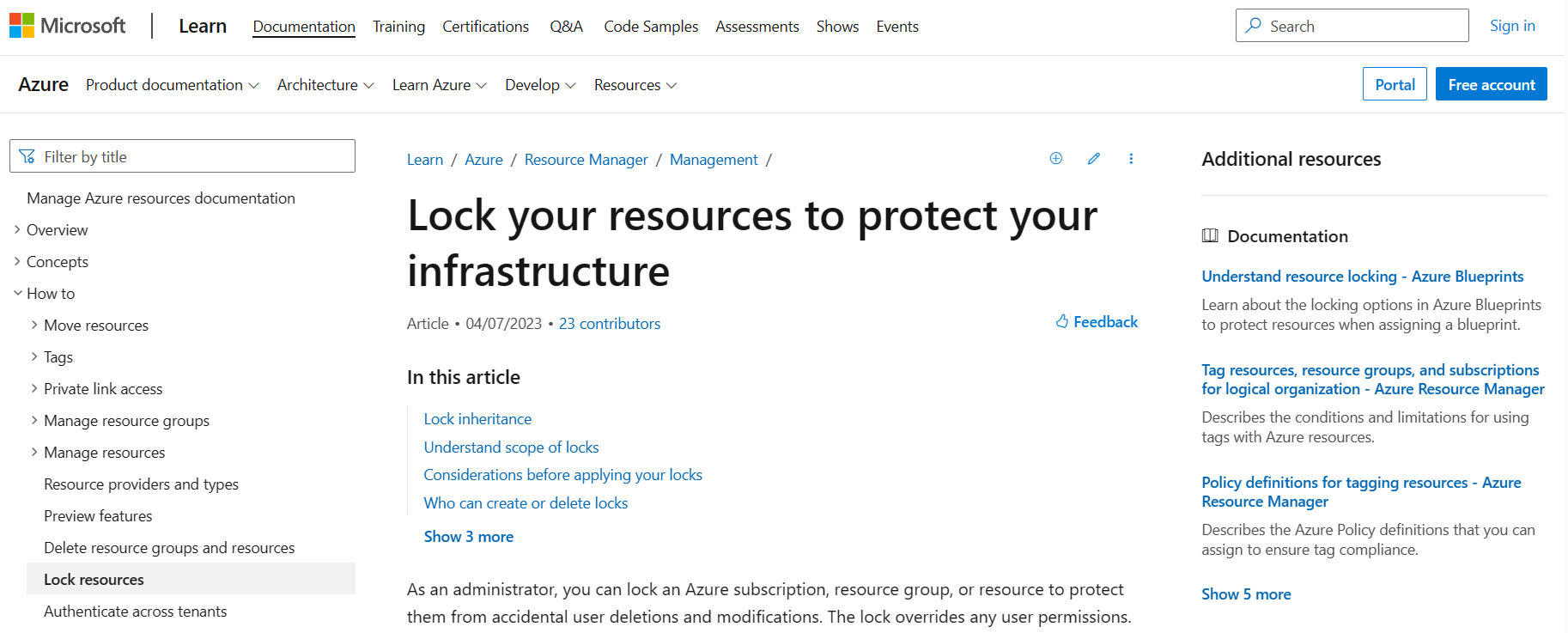
Image of Azure Resource Locks page, explaining how to lock your resources to protect your infrastructure

Azure Resource Locks is a Microsoft Azure feature that allows you to restrict Azure resources to prevent accidental deletion or modification. It provides an additional layer of control and governance over your Azure resources, helping mitigate the risk of critical changes or deletions.

Key Features

Two types of locks can be applied:

1. Read-Only (CanNotDelete)

This lock type allows you to mark a resource as read-only, meaning modifications or deletions are prohibited.

2. CanNotDelete (Delete)

This lock type provides the highest level of protection by preventing both modifications and deletions of a resource; it ensures that the resource remains completely unaltered.

Best Practices

  • Establish a Clear Governance Policy - Develop a governance policy that outlines the use of Resource Locks within your organization. The policy should define who has the authority to apply or remove locks and when to use locks, and any exceptions or special considerations.
  • Leverage Azure Policy for Lock Enforcement - Use Azure Policy alongside Resource Locks to enforce compliance with your governance policies. It is because Azure Policy can automatically apply locks to resources based on predefined rules, reducing the risk of misconfigurations.

Azure Secure SQL Database Always Encrypted
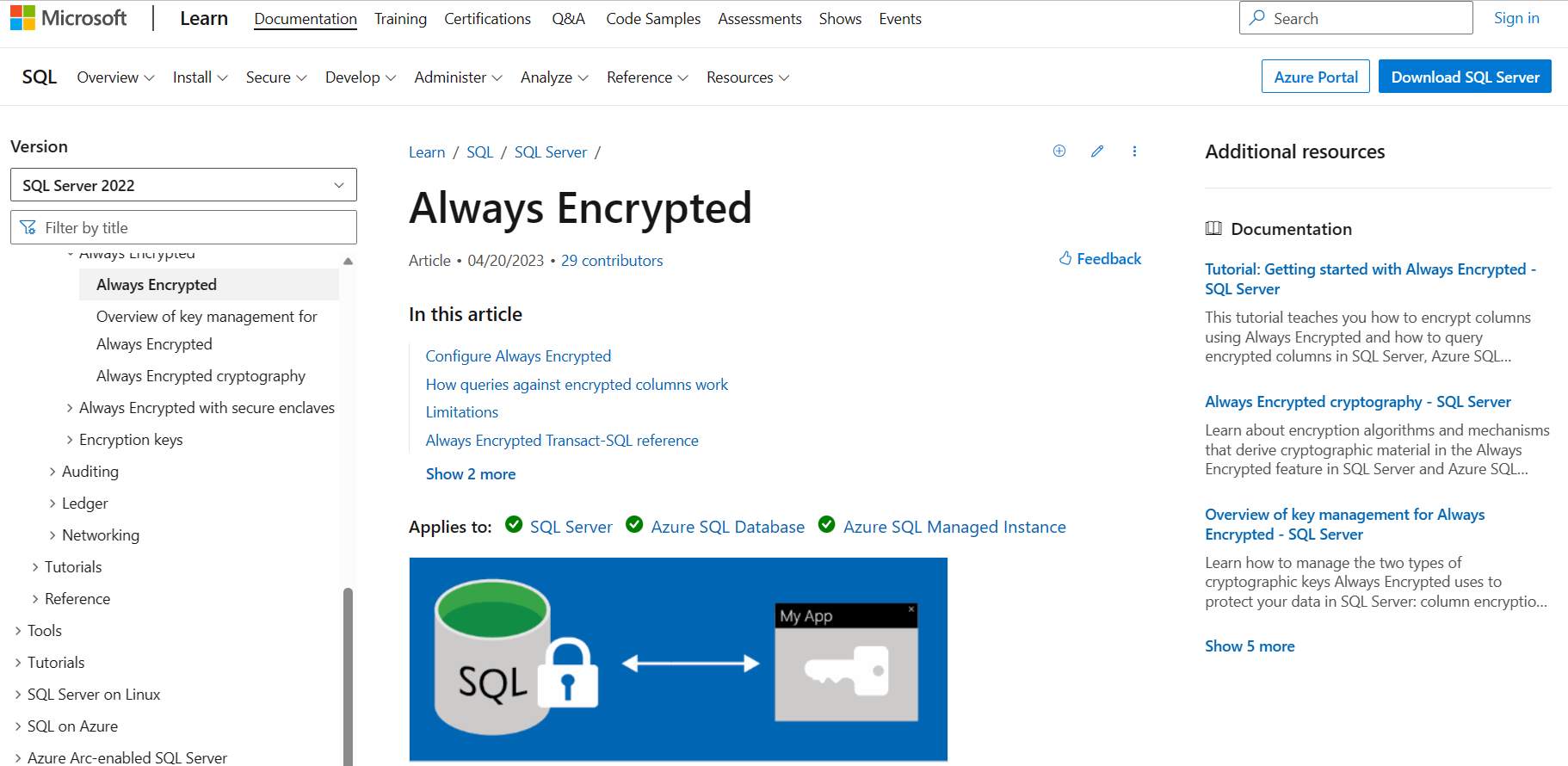
Image of Azure Always Encrypted page, explaining how it works

Azure Secure SQL Database Always Encrypted is a feature of Microsoft Azure SQL Database that provides another security-specific layer for sensitive data. Moreover, it protects data at rest and in transit, ensuring that even database administrators or other privileged users cannot access the plaintext values of the encrypted data.

Key Features

1. Client-Side Encryption

Always Encrypted enables client applications to encrypt sensitive data before sending it to the database. As a result, the data remains encrypted throughout its lifecycle and can be decrypted only by an authorized client application.

2. Column-Level Encryption

Always Encrypted allows you to selectively encrypt individual columns in a database table rather than encrypting the entire database. It gives organizations fine-grained control over which data needs encryption, allowing you to balance security and performance requirements.

3. Transparent Data Encryption

The database server stores the encrypted data using a unique encryption format, ensuring the data remains protected even if the database is compromised. The server is unaware of the data values and cannot decrypt them.

Best Practices

The organization needs to plan and manage encryption keys carefully. This is because encryption keys are at the heart of Always Encrypted. Consider the following best practices.

  • Use a Secure and Centralized Key Management System - Store encryption keys in a safe and centralized location, separate from the database. Azure Key Vault is a recommended option for managing keys securely.
  • Implement Key Rotation and Backup - Regularly rotate encryption keys to mitigate the risks of key compromise. Moreover, establish a key backup strategy to recover encrypted data due to a lost or inaccessible key.
  • Control Access to Encryption Keys - Ensure that only authorized individuals or applications have access to the encryption keys. Applying the principle of least privilege and robust access control will prevent unauthorized access to keys.

Azure Key Vault
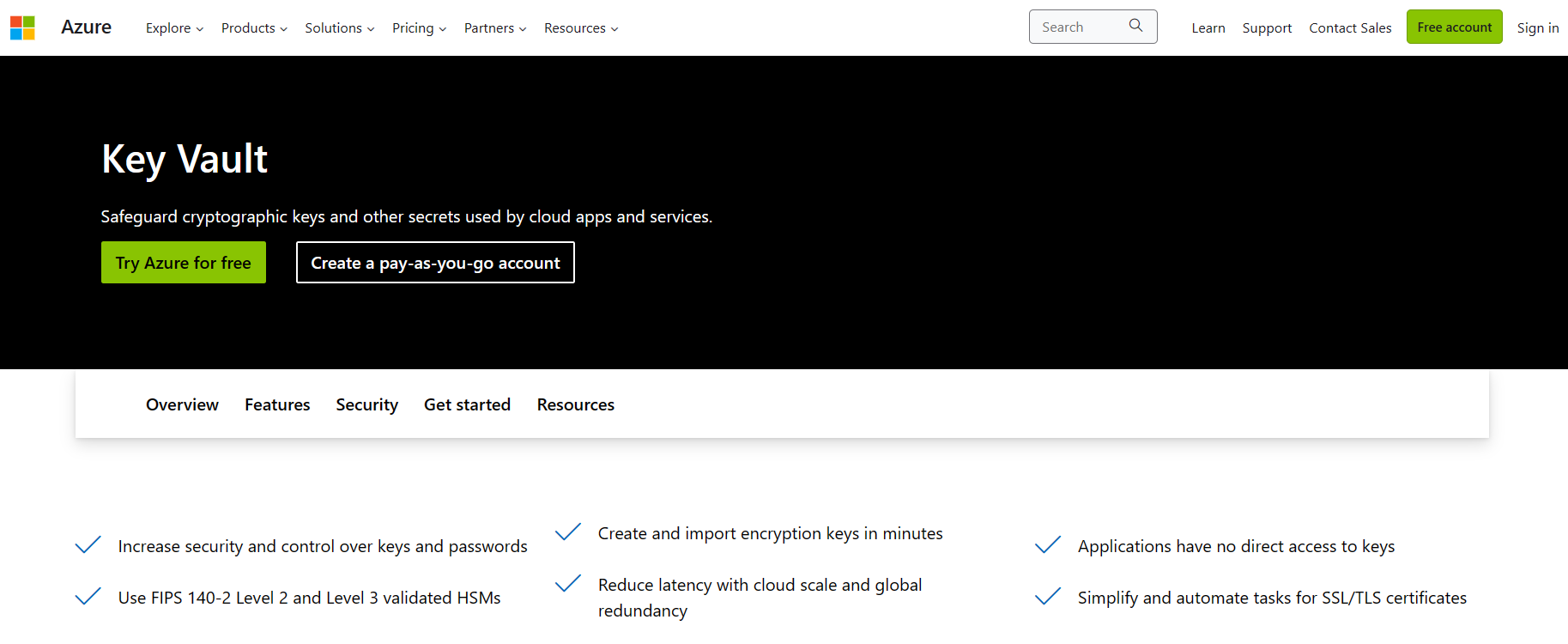
Image of Azure Key Vault page

Azure Key Vault is a cloud service provided by Microsoft Azure that helps safeguard cryptographic keys, secrets, and sensitive information. It is a centralized storage and management system for keys, certificates, passwords, connection strings, and other confidential information required by applications and services. It allows developers and administrators to securely store and tightly control access to their application secrets without exposing them directly in their code or configuration files.

Key Features

1. Key Management

Key Vault provides a secure key management system that allows you to create, import, and manage cryptographic keys for encryption, decryption, signing, and verification.

2. Secret Management

It enables you to securely store (as plain text or encrypted value) and manage secrets such as passwords, API keys, connection strings, and other sensitive information.

3. Certificate Management

Key Vault supports the storage and management of X.509 certificates, allowing you to securely store, manage, and retrieve credentials for application use.

4. Access Control

Key Vault provides fine-grained access control to manage who can perform operations on stored keys and secrets. It integrates with Azure Active Directory (Azure AD) for authentication and authorization.

Best Practices

  • Centralized Secrets Management - Consolidate all your application secrets and sensitive information in Key Vault rather than scattering them across different systems or configurations. The benefit of this is it simplifies management and reduces the risk of accidental exposure.
  • Use RBAC and Access Policies - Implement role-based access control (RBAC) and define granular access policies to power who can perform operations on Key Vault resources. Follow the principle of least privilege, granting only the necessary permissions to users or applications.
  • Secure Key Vault Access - Restrict access to Key Vault resources to trusted networks or virtual networks using virtual network service or private endpoints because it helps prevent unauthorized access to the internet.

Azure AD Multi-Factor Authentication
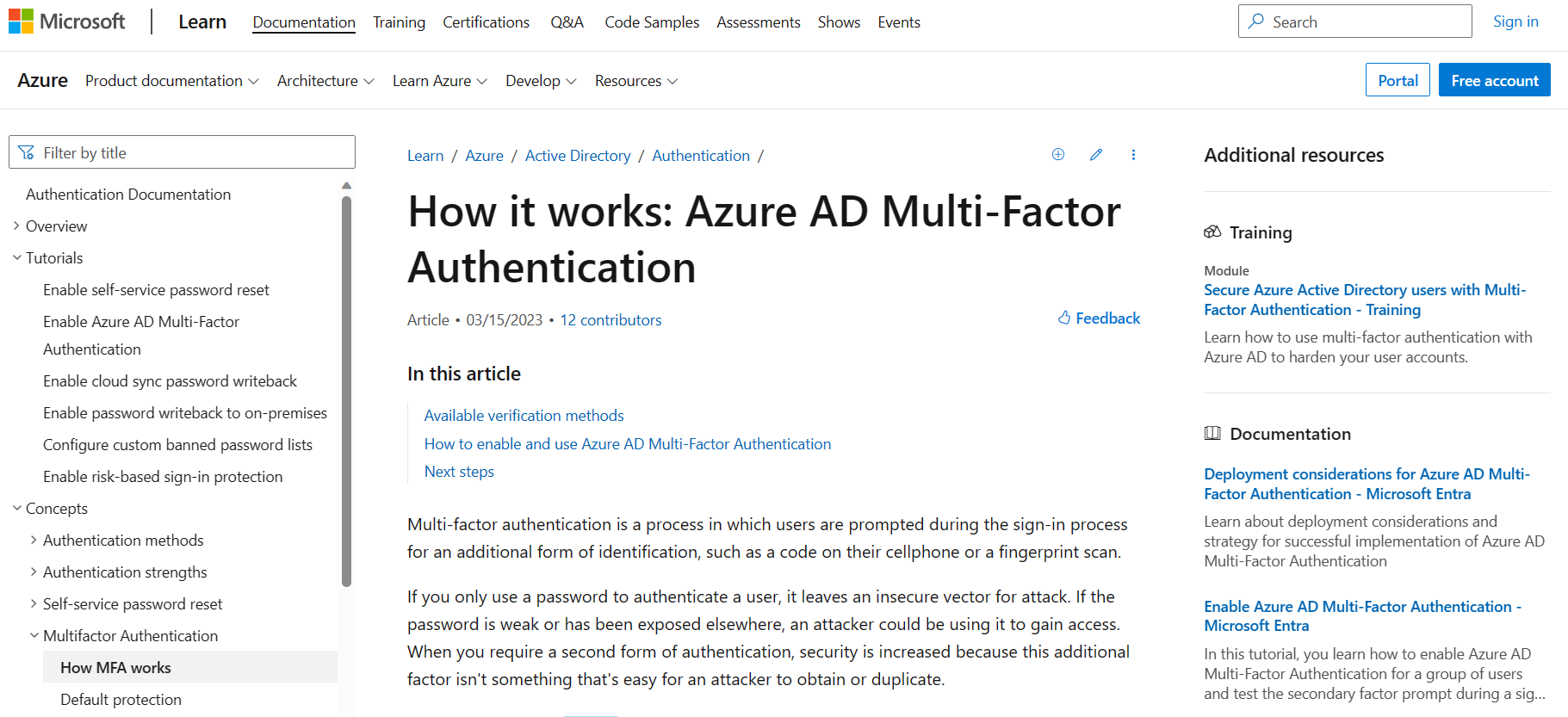
Image of Azure AD Multi-Factor Authentication page, explaining how it works

It is a security feature provided by Microsoft Azure that adds an extra layer of protection to user sign-ins and helps safeguard against unauthorized access to resources. Users must give additional authentication factors beyond just a username and password.

Key Features

1. Multiple Authentication Methods

Azure AD MFA supports a range of authentication methods, including phone calls, text messages (SMS), mobile app notifications, mobile app verification codes, email, and third-party authentication apps. This flexibility allows organizations to choose the methods that best suit their users' needs and security requirements.

2. Conditional Access Policies

Azure AD MFA can configure conditional access policies, allowing organizations to define specific conditions under which MFA (is required), once applied to an organization, on the user location, device trust, application sensitivity, and risk level. This granular control helps organizations strike a balance between security and user convenience.

Best Practices

  • Enable MFA for All Users - Implement a company-wide policy to enforce MFA for all users, regardless of their roles or privileges, because it will ensure consistent and comprehensive security across the organization.
  • Use Risk-Based Policies - Leverage Azure AD Identity Protection and its risk-based policies to dynamically adjust the level of authentication required based on the perceived risk of each sign-in attempt because it will help balance security and user experience by applying MFA only when necessary.
  • Implement Multi-Factor Authentication for Privileged Accounts - Ensure that all privileged accounts, such as administrators and IT staff, are protected with MFA. These accounts have elevated access rights and are prime targets for attackers. Enforcing MFA adds an extra layer of protection to prevent unauthorized access.

Conclusion

In this post, we have introduced the importance of cybersecurity in the cloud space due to dependence on cloud providers. After that we discussed some layers of security in Azure to gain insights about its landscape and see some tools and features available. Of course we can’t ignore the features such as Azure Active Directory Identity Protection, Azure Firewall, Azure Resource Locks, Azure Secure SQL Database Always Encrypted, Azure Key Vault and Azure AD Multi-Factor Authentication by giving an overview on each, its key features and the best practices we can apply to our organization.

Ready to go beyond native Azure tools?

While Azure provides powerful built-in security features, securing sensitive data across multi-cloud environments requires deeper visibility and control.

Request a demo with Sentra to see how our platform complements Azure by discovering, classifying, and protecting sensitive data - automatically and continuously.

<blogcta-big>

Discover Ron’s expertise, shaped by over 20 years of hands-on tech and leadership experience in cybersecurity, cloud, big data, and machine learning. As a serial entrepreneur and seed investor, Ron has contributed to the success of several startups, including Axonius, Firefly, Guardio, Talon Cyber Security, and Lightricks, after founding a company acquired by Oracle.

Subscribe

Latest Blog Posts

Team Sentra
Team Sentra
April 24, 2026
3
Min Read
AI and ML

Patchwork AI Security vs. Purpose-Built Protection: Thoughts on Cyera’s Ryft Acquisition

Patchwork AI Security vs. Purpose-Built Protection: Thoughts on Cyera’s Ryft Acquisition

Yesterday’s news that Cyera is acquiring Ryft, a two-year-old startup building automated data lakes for AI agents, is the latest sign of how fast the agentic AI security market is moving. It’s also Cyera’s fourth acquisition in five years, on the heels of Trail Security and Otterize, a clear signal that the company is trying to buy its way into new narratives as quickly as they emerge.

For security and data leaders, the question isn’t “Is agentic AI important?” It absolutely is. The question is: What’s the real cost of stitching together yet another acquisition into an already complex platform?

The hidden cost of rapid, piecemeal integrations

On paper, adding Ryft gives Cyera a new story around “agentic AI security.” In practice, it creates a familiar set of integration problems:

  • Multiple architectures to reconcile
    Trail Security, Otterize, and now Ryft were all built as independent products with their own data models, UX patterns, and engineering roadmaps. Four acquisitions in five years means customers are effectively buying an integration project that’s still in progress, not a single, mature platform.

  • Gaps, overlaps, and inconsistent controls
    Every acquired module has its own blind spots and strengths. Until they’re truly unified, you get overlapping coverage in some areas, gaps in others, and policy engines that don’t behave consistently across cloud, SaaS, and on-prem.

  • Slower time-to-value for AI initiatives
    AI programs move quickly; integrations do not. Each acquisition has to be wired into discovery, classification, policy, reporting, access control, and remediation workflows before it delivers real value. That’s measured in quarters and years, not weeks.

  • Operational drag on security teams
    When you tie together multiple acquired engines, you often see scan-based coverage, noisy false positives, and limited self-serve reporting that still depends on the vendor’s team to interpret results. That’s the opposite of what already stretched security teams need as they take on AI data risk.

The Ryft deal fits this pattern. It’s a high-priced bet on an early-stage team with a small set of digital-native customers, not a proven, enterprise-scale AI data security engine. That’s fine as a venture bet. It’s more problematic when packaged as an answer for Fortune 500 AI governance.

Why agentic AI security can’t be bolted on

Agentic AI changes the risk profile of enterprise data:

  • Agents traverse structured and unstructured data across cloud, SaaS, and on-prem.
  • They act on behalf of identities, often chaining tools and APIs in ways that are hard to predict.
  • The blast radius of a misconfiguration or over-permissioned identity grows dramatically once agents are in the loop.

Trying to solve that by bolting an AI data lake acquisition onto a legacy, scan-based DSPM engine is risky. You’re adding another moving part on top of a system that already struggles with:

  • Point-in-time scans instead of real-time, continuous coverage
  • High false positives without strong prioritization
  • Shallow support for hybrid and on-prem environments
  • Vendor-controlled workflows instead of customer-controlled, self-serve reporting

If the underlying platform can’t continuously understand where sensitive data lives, which identities can touch it, and how that access is used, then adding an “AI data lake” on the side doesn’t fix the fundamentals. It just adds another place for risk to hide.

A different path: Sentra’s purpose-built, real-time platform

At Sentra, we took a different approach from day one: build a single, in-place, real-time data security platform, not a patchwork of stitched-together acquisitions.

A few principles guide the way we think about AI and data security:

  • One unified architecture
    Sentra is a purpose-built, unified platform, not an assortment of logos held together by integration roadmaps. There’s one architecture, one data model, one roadmap, and one team focused entirely on DSPM and AI data security, rather than a set of acquired point products that still need to be woven together.

  • Proven for real AI workloads today
    Our platform is already securing real AI workloads in production environments, rather than depending on the future maturation of a seed-stage acquisition. AI data security for us is not a sidecar story. It's built into how we discover, classify, govern, and remediate risk across your estate.

  • Higher-precision signal, not more noise
    Sentra delivers higher classification precision (4.9 vs. 4.7 stars on Gartner) and couples that with workflows your team controls, not processes that require vendor intervention every time you need a new report or policy tweak.

  • Complete coverage for complex environments
    Modern enterprises aren’t cloud-only. Sentra provides full coverage across IaaS, PaaS, SaaS, and on-premises from a single platform, built for hybrid and legacy-heavy environments as much as for cloud-native stacks.

In other words, while some vendors are racing to acquire their way into the next AI buzzword, Sentra is focused on delivering trustworthy, real-time, identity-aware data security that you can put in front of a CISO and a data platform owner today.

What to ask your vendors now

If you’re evaluating Cyera (or any vendor riding the latest AI acquisition wave), a few concrete questions can cut through the noise:

  1. How many acquisitions have you done in the last five years, and which parts of my deployment depend on those integrations actually working?
  2. What’s fully integrated and running in production today vs. what’s still on the roadmap?
  3. Are my AI and non-AI data risks handled by the same platform, policies, and reporting, or by separate acquired modules?
  4. Do you provide continuous coverage and identity-aware controls across cloud, SaaS, and on-prem, or am I still relying on periodic scans and partial visibility?

The AI security market doesn’t need more logos; it needs fewer moving parts, better signals, and real-time control over how data is used by humans and agents alike.

That’s the standard Sentra is building for and the lens through which we view every new acquisition announcement in this space.

Read More
Ron Reiter
Ron Reiter
April 24, 2026
3
Min Read
Data Security

Sentra Now Supports Solidworks 3D CAD Files – Protecting the Digital Blueprint in the Age of AI

Sentra Now Supports Solidworks 3D CAD Files – Protecting the Digital Blueprint in the Age of AI

Walk into any advanced manufacturing, aerospace, defense, or industrial design shop and you’re just as likely to see Solidworks as you are AutoCAD. The models, assemblies, and drawings built in Solidworks are the digital blueprints for everything from turbine blades and medical devices to satellites and weapons systems.

Earlier this year we announced native support for AutoCAD DWG files, making an entire class of previously opaque CAD data visible to security and compliance teams for the first time. Now we’re extending that same deep visibility to Solidworks 3D CAD files, so you can protect the IP and regulated technical data hiding inside your .sldprt, .sldasm, and related content—without slowing engineering down.

And as AI accelerates design cycles, that visibility is no longer optional.

AI is Supercharging Design – and Expanding the Blast Radius

Design teams are pushing faster than ever:

  • Generative design tools propose entire families of parts and assemblies.
  • Copilots summarize requirements, suggest changes, and draft documentation off CAD models.
  • PLM-integrated agents automatically create downstream artifacts—quotes, NC programs, service manuals—based on 3D designs.
  • RAG-style internal assistants answer questions using a mix of project docs, CAD files, and simulation outputs.

All of this is powerful. It also multiplies the ways sensitive CAD data can leak:

  • Entire assemblies uploaded to unmanaged AI tools “just to explore options.”
  • Export-controlled models referenced in prompts and ending up in long‑lived AI data lakes.
  • Supplier and customer CAD shared into external copilots with little visibility into who—or what agent—can access it.
  • Rich metadata from CAD (usernames, project codes, server paths, partner names) silently turned into reconnaissance material.

If you don’t understand what’s inside your CAD, where it lives, and which identities and AI agents can reach it, AI doesn’t just speed up design—it speeds up IP disclosure, compliance failures, and supply‑chain exposure.

CAD Has Been a Blind Spot for Security

Most traditional DSPM and DLP tools still treat specialized engineering formats as a big binary blob: “probably sensitive, treat with caution.” That may have been acceptable when CAD lived on a handful of on‑prem engineering servers.

It’s not acceptable when:

  • Decades of CAD history have been lifted and shifted into S3, Azure Blob, or SharePoint.
  • ITAR/EAR “technical data” now lives side‑by‑side with everyday project files in cloud object stores.
  • Those same repositories feed downstream systems—PLM, MES, AI assistants—where traditional security tools have little or no visibility.

We built native DWG parsing into Sentra to break that stalemate, making CAD content as transparent to security teams as a Word document. Solidworks 3D CAD support is the next logical step.

What’s Really Inside a Solidworks 3D CAD File?

Like DWG, a Solidworks file is far more than geometry. It’s a container for rich metadata, text, and structural context that describes both what you’re building and how it fits into regulated programs and commercial IP. Our Solidworks support is designed to surface that security‑relevant context—without requiring CAD tools, manual exports, or data movement.

Similar to what we do for DWG, Sentra can extract and analyze key elements, including:

  • Document properties
    Authors, “last saved by,” creation and modification timestamps, total editing time, and revision counters—signals that help you understand who is touching sensitive designs and when.

  • Custom properties and configuration metadata
    Project IDs, part and assembly numbers, revision codes, program names, business units, and export‑control or classification markings encoded as custom properties or notes.

  • Text content and annotations
    Notes, callouts, PMI, and embedded text that often contain material specifications, tolerances, customer names, contract IDs, and phrases like “COMPANY CONFIDENTIAL,” “EXPORT CONTROLLED,” or ITAR statements.

  • Assembly structure and component names
    Which parts roll up into which assemblies, and how those components are named—critical when you need to understand which physical systems a given sensitive model belongs to.

  • File dependencies and paths
    References to drawings, configurations, libraries, and external resources that routinely expose server names, share paths, usernames, and department structures—goldmine context for attackers, but also for incident response and insider‑risk investigations.

For organizations operating under ITAR and EAR, this is where truly export‑controlled technical data actually lives—not in the folder name, but in the title blocks, annotations, and metadata attached to models and drawings.

Turning Solidworks Models into Actionable Security Signals

By parsing Solidworks 3D CAD files in place, inside your own cloud accounts or VPCs, Sentra can now treat them as first‑class citizens in your data security program—just like we do for DWG and other specialized formats.

That unlocks concrete use cases, such as:

  • Finding export‑controlled or highly sensitive designs in cloud storage
    Automatically surface Solidworks files whose metadata, annotations, or custom properties contain ITAR statements, ECCN codes, proprietary markings, or customer‑confidential labels—so you can focus remediation on the drawings and models that are actually regulated.

  • Mapping who (and what) can access critical designs
    Combine CAD‑aware classification with Sentra’s DSPM and DAG capabilities to answer:
    Where are our most sensitive Solidworks assemblies stored, and which identities, service principals, and AI agents can currently reach them?

  • Monitoring AI and collaboration workflows for IP exposure
    Track when Solidworks files that contain regulated or high‑value IP are moved into AI data lakes, shared via collaboration platforms, or accessed by non‑human identities—so DDR policies can flag, quarantine, or route for review before they turn into public incidents.

  • Building a defensible audit trail for CAD‑resident technical data
    Maintain an inventory of Solidworks files that contain export‑control markings or IP‑critical content, tie each file to its exact storage location and access controls, and surface any out‑of‑policy placements—so when auditors ask “Where is your technical data?”, you can answer with data, not slideware.

Closing the Gap Between “Stored” and “Understood” for 3D CAD

As workloads like EDA, PLM, simulation, and AI‑assisted design move deeper into the cloud, the number of specialized formats in your environment explodes. Most tools still only truly understand emails, office documents, and a narrow slice of structured data.

The reality is simple: you cannot secure data you don’t understand. Understanding means being able to answer, at scale, not just “Where is this file?” but “What is inside this file, how sensitive is it, and how is AI amplifying its risk?”

For organizations whose crown‑jewel IP and export‑controlled technical data live in Solidworks 3D CAD, that’s the gap Sentra is now closing.

If you want to see what’s actually hiding inside your own Solidworks models and assemblies, the easiest next step is to run a focused assessment: pick a few representative buckets or repositories, let Sentra scan those CAD files in place, and review the inventory of regulated and high‑value designs that surfaces.

Chances are, once you’ve seen that map—and how it connects to your AI initiatives—you’ll never look at “just another CAD file” the same way again.

Read More
Yair Cohen
Yair Cohen
David Stuart
David Stuart
April 15, 2026
3
Min Read
Data Sprawl

Fiverr Data Breach: Beyond Misconfigured Buckets and the Data Sprawl That Made It Inevitable

Fiverr Data Breach: Beyond Misconfigured Buckets and the Data Sprawl That Made It Inevitable

Fiverr’s recent data breach/data exposure left tax forms, IDs, contracts, and even credentials publicly accessible and indexed by Google via misconfigured Cloudinary URLs.

This post explains what happened, why data sprawl across third-party services made it inevitable, and how to prevent the next Fiverr-style leak.

The Fiverr data breach is a textbook case of sensitive data sprawl and misconfigured third‑party infrastructure: highly sensitive documents (including tax returns, IDs, health records, and even admin credentials) were stored on Cloudinary behind unauthenticated, non‑expiring URLs, then surfaced via public HTML so Google could index them—remaining accessible for weeks after initial disclosure and hours after public reporting. This isn’t a zero‑day exploit; it’s a failure to understand where regulated data lives, how it rapidly proliferates and is shared across services, and whether controls like signed URLs, authentication, and proper indexing rules are actually in place.

In practical terms, what happened in the Fiverr data breach?

– Sensitive documents (tax returns, IDs, contracts, even credentials) were stored on Cloudinary behind unauthenticated, non-expiring URLs.

– Some of those URLs were linked from public HTML, allowing Google and other search engines to index them.

– As a result, private Fiverr user data became publicly searchable, long before regulators or affected users were notified.

What the Fiverr Data Breach Reveals About Third-Party Data Sprawl

What makes this kind of data exposure - like the Fiverr data leak - so damaging is that it collapses the boundary between “internal work product” and “public web content.” The same files that power everyday workflows—tax filings, medical notes, penetration test reports, admin credentials—suddenly become discoverable to anyone with a search engine, long before regulators or affected users even know there’s a problem. As enterprises lean on third‑party processors, media platforms, and SaaS for collaboration, the real risk isn’t a single misconfigured bucket; it’s the absence of continuous visibility into where sensitive data actually resides and who—human or machine—can reach it.

Sentra is built to restore that visibility and hygiene baseline across the entire data estate, including cloud storage, SaaS platforms, AI data lakes, and media services like the one at the center of this incident. By running discovery and classification in‑environment—without copying customer data out—Sentra builds a live inventory of sensitive assets, from tax forms and IDs to health and financial records, even in unstructured PDFs and images brought into scope via OCR and transcription. On top of that, Sentra continuously identifies redundant, obsolete, and toxic (ROT) data, so organizations can eliminate unnecessary copies that amplify the blast radius when something does go wrong, and set enforceable policies like “no GLBA‑covered data on unauthenticated public endpoints” before the next Cloudinary‑style exposure ever materializes.

If you’re asking “How do we avoid a Fiverr-style data breach on our own SaaS and media stack?”, the starting point is continuous visibility into where sensitive data lives, how it moves into services like Cloudinary, and who or what (including AI agents) can access it.

How to Prevent a Fiverr-Style Data Leak Across SaaS, Storage, and Media Services

Where traditional controls stop at the perimeter, Sentra ties data to identities and access paths, including AI agents, copilots, and service principals. Lineage‑driven maps show how data moves—from a storage bucket into a search index, from a document library into a media processor—so entitlements can follow data automatically and public or over‑privileged links can be revoked in a targeted way, rather than taking an entire service offline. On that foundation, Sentra orchestrates automated actions and remediation: quarantining exposed files, tombstoning toxic copies, removing public links, and routing rich, contextual tickets to owners when human judgment is required—all through existing tools like DLP, IAM, ServiceNow, Jira, Slack, and SOAR instead of standing up a parallel enforcement stack.

Doing this at “Fiverr scale” requires more than point tools; it demands a platform that is accurate, scalable, and cost‑efficient enough to run continuously and scale across multi-hundred petabyte environments. Sentra’s in‑environment architecture and small‑model approach have already scanned 8–9 petabytes in under 4–5 days at 95–98% accuracy—an order‑of‑magnitude faster and cheaper than extraction‑based alternatives—while keeping customer data inside their own accounts. That efficiency means enterprises can maintain continuous scanning, labeling, and remediation across hundreds of petabytes and multiple clouds without turning governance into a budget‑breaking project, and can generate audit‑grade evidence that sensitive data was governed properly over time—not just at the last assessment.

Incidents like the Fiverr data breach are a warning shot for the AI era, where copilots, internal agents, and search experiences will happily surface whatever the underlying permissions and data quality allow. As AI adoption accelerates, the only sustainable defense is a baseline of automated, continuous data protection: accurate classification, durable hygiene, identity‑aware access, automated remediation, and economically viable, always‑on governance that keeps pace with rapidly expanding and evolving data estates. You can’t secure AI—or avoid the next “public and searchable” headline—without first understanding and continuously governing the data that AI and its surrounding services can see. As AI pushes boundaries (and challenges security teams!), there is no time like now to ensure data remains protected.


Fiverr data breach FAQ

  • Was my Fiverr data exposed in the breach?
    Fiverr and independent researchers have confirmed that some user documents—including tax forms, IDs, invoices, and credentials—were publicly accessible and indexed by Google via misconfigured Cloudinary URLs. Whether your specific files were exposed depends on what you shared and how Fiverr stored it, but the safest assumption is that any sensitive document shared on the platform may have been at risk.

  • What made the Fiverr data breach possible?
    The root cause wasn’t a zero-day exploit; it was data sprawl across third-party infrastructure plus weak controls: public, non-expiring Cloudinary URLs, public HTML linking to those URLs, and no continuous visibility into where regulated data lived or who could reach it.

  • How can enterprises prevent similar leaks?
    By continuously discovering and classifying sensitive data across cloud storage, SaaS, and media services; cleaning up ROT; enforcing policies like “no GLBA-covered data on unauthenticated public endpoints”; and tying access to identities so public links and over-privileged routes can be revoked automatically. 

Read more about the Fiverr Data Breach

Detailed news coverage of the Fiverr data breach and Cloudinary misconfiguration (Cybernews)

Independent analysis of the Fiverr data exposure via public Cloudinary URLs (CyberInsider)

Read More
Expert Data Security Insights Straight to Your Inbox
What Should I Do Now:
1

Get the latest GigaOm DSPM Radar report - see why Sentra was named a Leader and Fast Mover in data security. Download now and stay ahead on securing sensitive data.

2

Sign up for a demo and learn how Sentra’s data security platform can uncover hidden risks, simplify compliance, and safeguard your sensitive data.

3

Follow us on LinkedIn, X (Twitter), and YouTube for actionable expert insights on how to strengthen your data security, build a successful DSPM program, and more!

Before you go...

Get the Gartner Customers' Choice for DSPM Report

Read why 98% of users recommend Sentra.

White Gartner Peer Insights Customers' Choice 2025 badge with laurel leaves inside a speech bubble.